
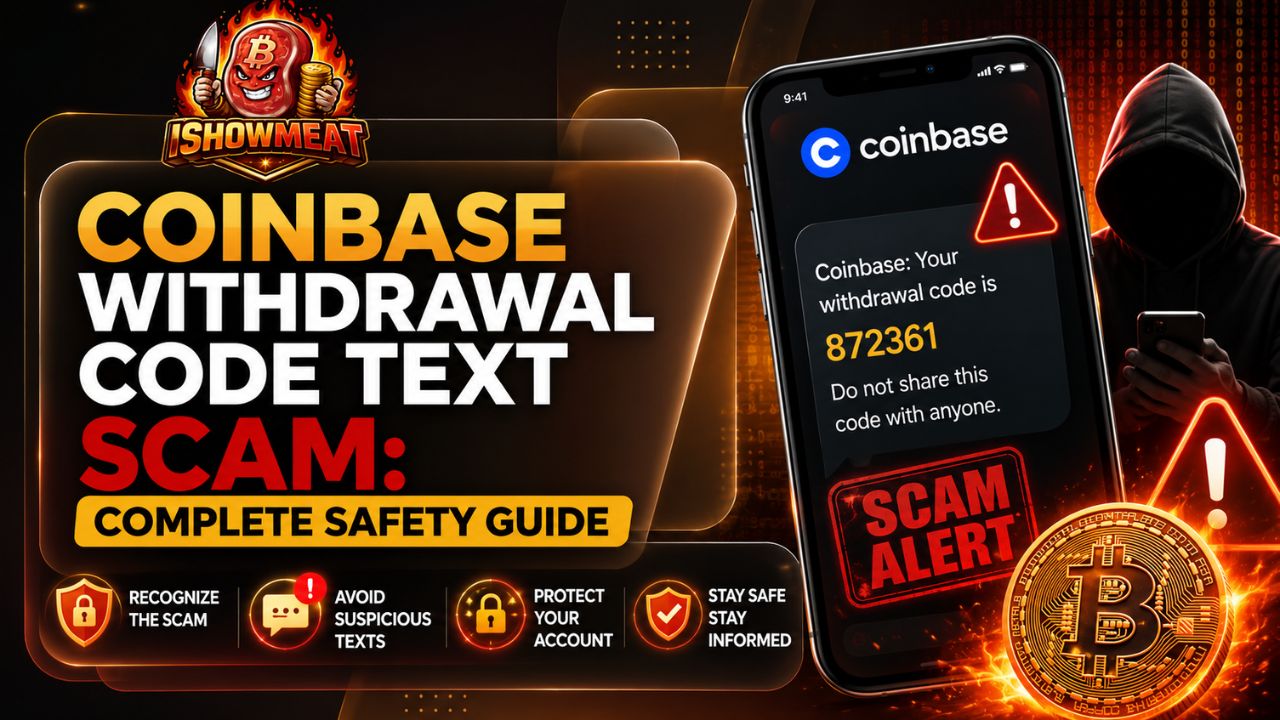
A sudden withdrawal alert can make even an experienced crypto user panic. When a coinbase withdrawal code text lands on your phone and claims that money is leaving your account, the natural reaction is to click the link or call the number before it is “too late.” That emotional rush is exactly what fraudsters are trying to create.
The safest response is not to trust the message, but to verify the situation independently. Some Coinbase customers do receive legitimate security codes after starting a sign-in or account action. The danger appears when an unexpected alert asks you to call a number, open a link, reveal a verification code, install remote-access software, or transfer assets to a supposedly secure wallet.
What Is a coinbase withdrawal code text?
A coinbase withdrawal code text is usually presented as an SMS alert containing a one-time code, a transaction amount, or a warning that a withdrawal is pending. It may say that the transaction will be approved unless you respond immediately. The message often includes a phone number, shortened URL, or button that supposedly connects you with account security.
Not every security code is fraudulent. A genuine code can arrive when you personally sign in, add a phone number, recover an account, or perform another protected action. Context matters. If you did not initiate anything, treat the alert as a warning to inspect your account through the official app or a trusted bookmark—not as an instruction to follow the message.
Why This Scam Feels So Convincing
Fraudsters combine recognizable branding with fear, urgency, and just enough technical language to sound credible. A coinbase scam text may mention a specific dollar amount, an unfamiliar city, a new device, or an expiring security code. Those details make the situation feel immediate, even when the sender has no access to your account.
A typical coinbase text message may also appear in the same conversation thread as earlier legitimate alerts. Sender-name spoofing and messaging-system quirks can make unrelated texts look connected. That visual placement is not proof that the latest message came from the company.
The Psychology Behind the Fake Alert
The scam works by compressing your decision time. Phrases such as “withdrawal pending,” “reply now,” “account will be locked,” or “call immediately” discourage careful checking. A coinbase spam text may even tell you not to sign in because doing so could “interfere with the investigation.” That instruction is designed to keep you away from the real account dashboard.
The same pressure appears in a coinbase email scam. Instead of giving you time to inspect the sender and destination link, the email frames hesitation as dangerous. In reality, slowing down is one of the strongest defenses against impersonation fraud.
How the Withdrawal Code Scam Usually Works
Most versions follow a predictable sequence. Understanding that sequence makes the manipulation easier to recognize before sensitive information changes hands.
- The bait arrives. You receive an unexpected coinbase withdrawal code text claiming that a transfer, login, or withdrawal has been requested.
- The message creates urgency. It tells you to call a number, click a link, or reply to cancel the transaction.
- A fake representative takes over. The person claims to be from fraud prevention, account security, or customer support.
- The scammer requests access. You may be asked for your password, email code, two-factor authentication code, screen-sharing access, identity details, or seed phrase.
- The scammer moves the assets. The criminal may sign in to the real account, change security settings, or persuade you to send crypto to a “safe” address controlled by the scammer.
Sometimes the first code is invented. After you respond, the criminal triggers a real sign-in or password reset and asks you to read the genuine code that follows, using it to complete an action your security system was meant to block.
The Fake Support Number Trap
The phone number in a coinbase scam text leads to an impersonator, not official support. The caller may know your name, email, phone number, or partial account details gathered from public records, breached databases, or earlier phishing attempts.
Personal information does not prove legitimacy. Real support should not require a password, seed phrase, two-step code, or transfer to an external wallet.
The Phishing Link Trap
A fraudulent link may open a convincing copy of Coinbase that captures your email, password, authentication code, and device information. Some pages request a second code while the attacker uses the first in real time.
A coinbase spam text may use a shortened link or a domain containing familiar words with extra letters, hyphens, or unrelated endings. Do not judge a site by its logo or color scheme. Open the official app directly or type the known website address yourself.
Warning Signs That the Message Is Fraudulent
Several red flags make a message highly suspicious:
- You did not initiate the withdrawal, login, password reset, or device confirmation.
- The alert tells you to call an unfamiliar number.
- The sender demands immediate action or threatens permanent loss.
- A link uses a shortened, misspelled, or unrelated domain.
- The sender asks for a password, seed phrase, or verification code.
- Someone asks you to install remote-control or screen-sharing software.
- You are instructed to move crypto to a “secure,” “verified,” or “temporary” wallet.
- The person discourages you from opening the official Coinbase app.
- The message contains awkward grammar, inconsistent formatting, or a generic greeting.
- The representative contacts you unexpectedly and claims an investigation is already underway.
Polished branding does not prove authenticity. The wording of a coinbase withdrawal code text may change, but demands for secrets, remote access, or asset transfers remain decisive warning signs. A second coinbase scam text may arrive to create false confirmation.
What to Do Immediately After Receiving the Text
When an unexpected coinbase withdrawal code text appears, avoid interacting with it. Do not click, call, reply, forward it to friends as a clickable message, or copy its link into a browser. Take a screenshot for reporting, then leave the conversation.
Open Coinbase through the official mobile app or a bookmark you created earlier. Review recent account activity, active sessions, confirmed devices, transactions, and security notifications. If the account shows no matching withdrawal or login attempt, the text was likely mass-distributed bait. If you see unauthorized activity, move directly to account protection steps.
Step 1: Do Not Share Any Code
A verification code is a temporary key. Anyone asking you to provide it is trying to complete an action that requires your approval. A coinbase text message containing a code should be entered only into the official Coinbase interface during an action you personally started.
Do not read the code aloud, paste it into a chat, send a screenshot, or type it into a page opened from an unexpected message. A legitimate support agent does not need your code to “reverse,” “cancel,” or “investigate” a transaction.
Step 2: Check the Account Independently
Sign in without using the message. Look for unfamiliar devices, active sessions, changes to payment methods, new wallet addresses, security-setting changes, and completed or pending transactions. Also review the email account connected to Coinbase, because attackers often target email first.
If you cannot sign in, use the account-recovery route reached through the official app or help center. Do not search social media comments or sponsored search results for a support number; impersonators frequently advertise fake contact details.
Step 3: Lock the Account When Access May Be Compromised
If you see an unknown sign-in, transaction, device, or security change, use Coinbase’s account-lock function. Locking the account signs out devices and temporarily disables transfers and account changes while you review the situation.
A coinbase scam text may tell you that calling the included number is the only way to freeze activity. That is false. Use the authenticated security controls available in your account or contact support through the official help center.
Step 4: Secure Your Email and Passwords
Change your Coinbase password to a new, unique password that has never been used elsewhere. Then change the password of the connected email account, especially if you entered credentials into a suspicious page or reused the same password on another service.
Check the email account for unknown devices, recovery addresses, forwarding rules, filters, and app permissions. A hidden forwarding rule can send security notices to an attacker or move important alerts out of your inbox.
Step 5: Upgrade Two-Factor Authentication
SMS authentication is better than no second factor, but it can be exposed through phishing or phone-number takeover. Where available, use a passkey, physical security key, or authenticator-based method. Protect your mobile-carrier account with a strong PIN and ask about SIM-swap or port-out protections.
The goal is to make a stolen password insufficient. Strong authentication also reduces the value of information collected through a coinbase spam text, because an attacker still needs a factor that cannot be forwarded or dictated over the phone.
How to Report a Suspicious Message
Preserve a screenshot showing the sender, full message, phone number, link, and time received. Coinbase advises users to send screenshots of phishing SMS messages to its security reporting address. In the United States, suspicious texts can also be forwarded to 7726, which spells SPAM on a phone keypad and helps participating carriers investigate unwanted messages.
Use the report-junk function in your messaging app and block the sender after preserving evidence. Include the full coinbase spam text or coinbase text message in your report so investigators can see the exact wording. If you lost money, disclosed identity information, or gave an attacker account access, report the incident promptly to the relevant exchange, your financial institution, local law enforcement, and appropriate national cybercrime or consumer-protection authority.
Preserve Evidence Before Deleting Anything
Save screenshots of messages, emails, websites, phone numbers, transaction hashes, wallet addresses, usernames, and call logs. Write down what information you shared and the approximate timeline. This documentation can help support teams, banks, investigators, and insurers understand what happened.
Do not continue communicating simply to gather more evidence. Once the relevant records are saved, disengage. Continued contact gives the scammer more chances to pressure you, send malware, or refine the story using details you reveal.
How Email Versions of the Scam Differ
A coinbase scam email may claim that your withdrawal is pending, a new device has been approved, identity verification has failed, or your account will be suspended. The call-to-action commonly leads to a phishing page or asks you to contact a fake security number.
A coinbase email scam can look more detailed than an SMS because email gives criminals space to copy branding, legal notices, transaction tables, and support language. The extra design should not lower your guard. Verify the event inside your account instead of using the email button.
Check the Sender, but Do Not Stop There
Official Coinbase email addresses use domains ending in coinbase.com, but the visible sender name alone is not reliable. Expand the sender details and inspect the actual address. Watch for swapped letters, added words, unrelated domains, and addresses that place “coinbase” before a different domain ending.
Even a familiar-looking address is not enough reason to share secrets. A coinbase scam email may spoof display information, while a compromised third-party mailbox can send convincing messages. The safest verification route remains the official app or a manually entered website address.
Be Careful With Links and Attachments
Hover over links on a computer to preview the destination, but do not open a questionable URL merely to investigate it. On mobile, link previews can be incomplete or misleading. Unexpected attachments, especially compressed files, installers, documents requesting macros, or mobile configuration profiles, should not be opened.
Several coinbase scam emails may arrive as part of the same campaign, using slightly different subjects to create repetition and credibility. Additional coinbase scam emails do not confirm that a warning is real; they may simply indicate automated targeting. A matching coinbase scam email can also be sent after the SMS to make the story appear coordinated.
Common Variations You May Encounter
Scammers continually adjust the wording, but the underlying request remains similar: trust the message, abandon independent verification, and hand control to the person contacting you. A coordinated campaign may pair a coinbase withdrawal code text with email or phone contact.
“Withdrawal Pending” Alert
This version lists a dollar amount or cryptocurrency quantity and says a withdrawal will complete soon. The included cancellation number connects to an impersonator. The coinbase withdrawal code text may include a fake reference number to make the call feel official.
“New Device Added” Alert
The message claims that a device in another city has accessed your account. A coinbase text message then directs you to a login page or support number. Geographic details may be invented, so verify the device list in your real account.
“Account Locked” Warning
The sender says your account was restricted because of suspicious activity and demands identity verification. The linked page may collect a photo ID, password, card details, and authentication code. Those details can enable identity theft beyond the crypto account.
“Move Funds to a Safe Wallet” Story
A fake agent says your current wallet is compromised and gives you a new address controlled by a “security department.” There is no protective reason to send assets to a stranger’s wallet. Once a blockchain transfer is completed, recovery may be difficult or impossible.
Fake Refund or Recovery Assistance
After an earlier loss, another scammer may promise to recover the funds for an upfront fee, tax, bond, or wallet connection. A coinbase email scam may impersonate an investigator, law firm, regulator, or asset-recovery specialist. Treat unsolicited recovery offers as a second-stage threat.
What If You Clicked the Link but Entered Nothing?
Close the page and do not return to it. Clear the browser tab, update the browser and operating system, and run a reputable security scan if the page attempted a download or asked for permissions. Review browser extensions and installed applications for anything unfamiliar.
A click does not always mean the account was compromised, but it can expose device information or trigger a malicious download. Monitor Coinbase and the connected email for unusual activity.
What If You Entered Your Password or Code?
Treat the situation as urgent. Lock the Coinbase account, change the Coinbase and email passwords from a trusted device, remove unknown sessions, and review security settings. Contact official support through the app or help center and describe exactly what was disclosed.
If you shared a code from a coinbase text message, assume it may have authorized an attacker’s action. Check transactions, address-book entries, API access, linked payment methods, and recent account changes. Contact your mobile carrier as well if your phone unexpectedly lost service, which can be a sign of a SIM-swap attempt.
What If Crypto Has Already Been Sent?
Contact Coinbase or the exchange involved immediately and provide transaction details. Also notify any connected bank or card issuer if fiat payments were involved. Preserve the receiving wallet address and transaction hash, then file reports with the appropriate law-enforcement and cybercrime agencies in your country.
Cryptocurrency transfers generally lack a credit-card-style chargeback. Fast reporting may help an exchange flag an address, preserve records, or act when funds reach a service it controls, but nobody can guarantee recovery.
How to Prevent Future Coinbase Impersonation Scams
Good security habits reduce both the probability and impact of future attacks:
- Bookmark the official Coinbase website and use the bookmark instead of message links.
- Enable a passkey, security key, or authenticator method when available.
- Use unique passwords stored in a reputable password manager.
- Add a carrier PIN and port-out protection to your mobile account.
- Keep devices, browsers, antivirus tools, and apps updated.
- Remove unnecessary remote-access software and unknown browser extensions.
- Review account sessions, confirmed devices, and email forwarding rules regularly.
- Never store a seed phrase in email, cloud notes, screenshots, or chat messages.
- Discuss impersonation scams with family members who may share financial accounts or devices.
A strong routine also makes a coinbase scam email less effective. When your normal habit is to ignore embedded links and verify alerts inside the app, urgency loses much of its power.
Build a Personal Verification Rule
Use one permanent rule: verify unexpected financial messages through a separate, trusted channel, never through the phone number, reply address, QR code, or link supplied in the alert.
This rule works for every coinbase email scam and removes the scammer’s control over your verification route.
Frequently Asked Questions
Is a coinbase withdrawal code text always fake?
No. Coinbase may send a legitimate SMS code when you initiate a protected action and use text-based two-step verification. An unexpected code should still be treated cautiously. Never share it, and verify account activity through the official app or website.
Why did I receive a code when I did not request one?
Someone may have entered your phone number by mistake, attempted to access your account, or sent a completely fabricated alert. Check your account independently. Change security credentials if you find an unknown sign-in or if you disclosed information.
Will Coinbase ask me to call a number in a withdrawal alert?
A message that orders you to call an unfamiliar number should be considered suspicious. Do not use contact details supplied by an unexpected alert. Reach support through the official app or help center.
Can Coinbase support ask for my two-factor authentication code?
No legitimate support agent should ask you to disclose a password or two-step verification code. The code is meant for the official sign-in or approval screen used during an action you initiated.
How can I identify a coinbase scam text quickly?
Look for urgency, unfamiliar links, unknown phone numbers, requests for codes, threats of immediate loss, remote-access instructions, or directions to transfer crypto. Any request to move assets to a “safe wallet” is a major red flag.
What should I do with a coinbase spam text?
Take a screenshot, report it through the appropriate security channel, use your phone’s junk-reporting feature, and block the sender. Do not reply, click the link, or call the included number.
How do I check whether a coinbase scam email is genuine?
Inspect the full sender address, avoid its links, and open your account independently. Compare the claim with real account activity. Forward suspicious messages to Coinbase’s security reporting address rather than replying to the sender.
Why am I receiving several coinbase scam emails?
Your email address may appear on marketing lists, public pages, or data sets circulated after a third-party breach. Repeated messages often come from automated campaigns. A cluster of coinbase scam emails is not proof of a real emergency. Secure the email account, mark the messages as phishing, and avoid interacting with them.
Can replying STOP remove me from the list?
Do not reply to a suspicious financial message. A response can confirm that your number is active and may lead to more targeting. Use your phone’s block and report tools instead.
Conclusion
The most dangerous part of a withdrawal-code scam is not the fake warning itself; it is the rushed decision the warning tries to force. Treat every unexpected coinbase withdrawal code text as unverified, avoid the supplied link or phone number, and inspect your account through a trusted route.
Whether the contact arrives as a coinbase email scam, one of several coinbase scam emails, another coinbase withdrawal code text, or an urgent SMS alert, the protection strategy is consistent: keep codes private, refuse requests to move funds, secure your account and email, preserve evidence, and report the impersonation through official channels. A few minutes of independent verification can prevent a moment of panic from becoming a permanentfinancial loss.